Reducing paper helps save departments money and helps the environment - and it’s the law! The Washington state legislature has directed all state agencies, including the University of Washington, to reduce paper consumption by 30% and to purchase 100% recycled paper for copiers and printers.
See below for resources and best practices to help your workplace reduce the amount of paper used.
Fetch the future: rethink the ink!
UW Records Management Services created the Fetch the Future initiative to transition to paperless records across the UW. See the Fetch the Future page for resources, trainings and other information to help making the transition to all-electronic records as simple and painless as possible.
Managed print services

Managed print services is a sustainable service offered by an external supplier, Ricoh, to improve the way we copy and print documents, resulting in a reduction of paper consumption and can save departments up to 25% over current costs. Ricoh owns and manages the equipment and provides the supplies, eliminating the need for the University to purchase or lease printers and copiers.
The MPS Program advances UW's environmental and sustainability initiatives through the elimination of equipment that consumes high levels of energy, better management of toner cartridges and their disposal, and reduction of paper consumption.
More resources
The UW is committed to reducing paper usage and other costs associated with copying and printing documents.
Here are some tips to help your department meet these goals, by looking at the settings for printers, copiers, and multifunctional devices (MFD).
Printing
Set up your machine so that it defaults to "double-sided" (duplex) mode when you print documents.
- This can be done at the department server level if your IT processes are centrally managed in your department
- If not, individual desk computers need to be be set to default to duplex from your computer’s control panel
Copying
It is best to set your machine to default to copy single-sided when you need to copy documents. The Ricoh technician will set your device up to default to single sided copying as a default unless you tell them otherwise. Then, if the machine is defaulted to single sided and you're printing multiple pages you can adjust the copier or MFD to the appropriate setting right at the device (1:2, 2:2, etc.) based on your particular copying job.
Color vs. back & white
Color prints and copies are significantly more expensive than B&W. We recommend that you set up your MFD defaults to B&W, and change it to color only when needed.
This process can either be set up at the department level or at the desk level.
Note: When the Ricoh technicians come to your department to install your devices, they will set the copy functions to default to black and white and single sided copy. For printing, they will work with the UW-IT resource to set the default printing to black and white and double-sided output unless requested differently.
The city of Seattle prohibits recyclable paper and cardboard in landfill waste. Paper can be recycled in the mixed recycling bins on campus, or UW Recycling offers dedicated mixed paper Bagit stations in some offices, labs or shared spaces. Contact recycle@uw.edu for more information.
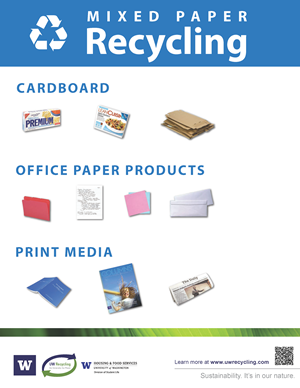
Mixed paper poster
You can post this informational graphic from UW Recycling regarding mixed paper recycling. (Click image to open PDF)
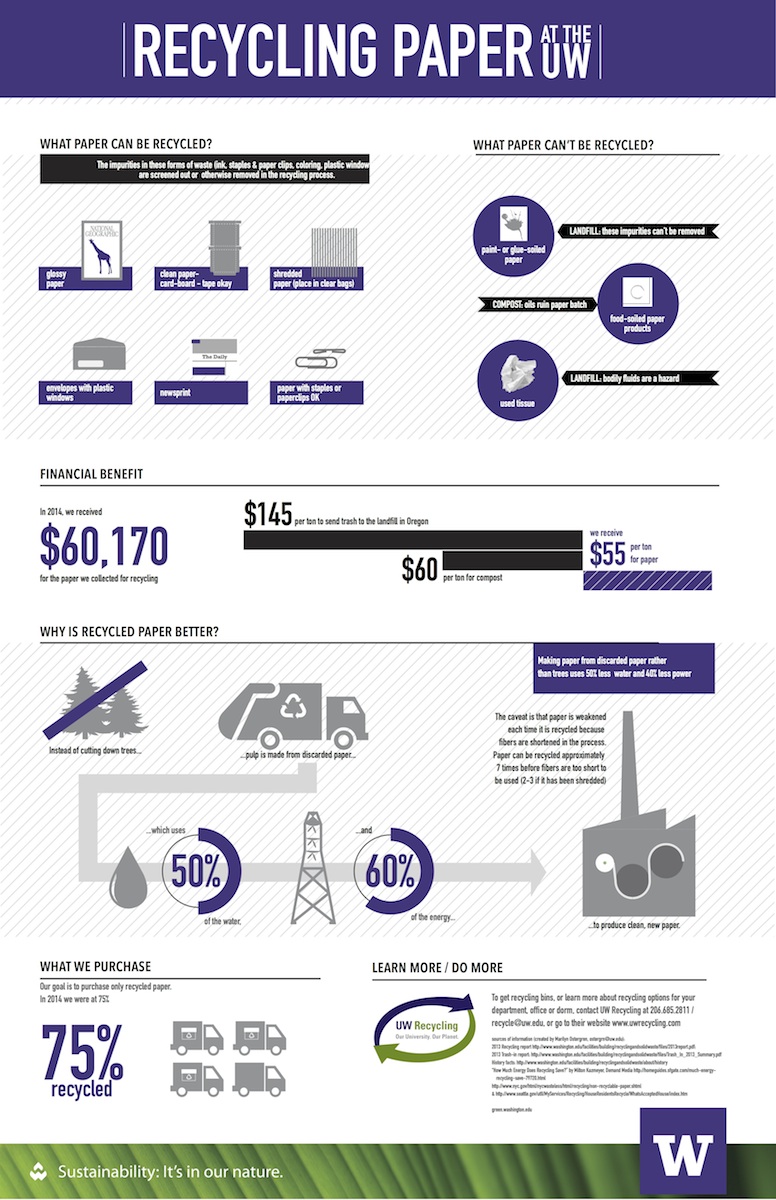
Paper recycling infographic
A downloadable poster with details on the ins and outs of paper recycling at UW. (Click image to open printable version)